YouTube Shorts
How to limit YouTube Shorts on Android
To limit YouTube Shorts on Android, open the YouTube app, tap the You tab, then Settings → Time management → Shorts feed limit, and pick a daily limit. YouTube offers limits from 15 minutes to 2 hours, and on accounts where it has rolled out, zero, which pauses the Shorts feed for the whole day. When you hit the limit, YouTube shows a reminder you can dismiss, so the limit is a speed bump, not a wall. For more, add YouTube’s break and bedtime reminders, and if you need something harder to skip, set an Android app timer on YouTube in Digital Wellbeing. That one covers the whole app, Shorts and long videos alike, and pauses it until midnight.

Can you turn off YouTube Shorts on Android?
Not completely, and not from Android’s settings. Android sees YouTube as one app, so anything in Digital Wellbeing limits all of it at once. Only the YouTube app can tell a Short from a twenty-minute video.
The closest thing to an off switch is YouTube’s own Shorts feed limit. YouTube introduced it in October 2025 with limits from 15 minutes to 2 hours, and has since added a zero-minute option that is rolling out to accounts. Set to zero, the Shorts feed is paused for the day. Hands-on reports from Android Central and others note what it leaves alone: Shorts from channels you subscribe to still show in Subscriptions, and a Short someone sends you still opens.
So think of it as removing the endless feed, which is the part that eats an evening, rather than removing every Short from your life.
How do you set a Shorts feed limit on Android?
YouTube’s help article Set a Shorts feed limit lists these steps:
- Sign in to the YouTube app. The limit is tied to your account.
- Tap the You tab, then tap Settings (the gear).
- Tap Time management.
- Tap Shorts feed limit. You will see a list of time limits, including zero if your account has it.
- Select your limit.
When you reach it, YouTube shows a message in the Shorts feed reminding you that you set a limit. YouTube’s help says you are prompted with an option to dismiss or ignore it. On a regular adult account, that means one tap gets the feed back for the rest of the day.
That sounds weak, and it is softer than a block. It still works better than you might expect, because it turns an endless scroll into a moment where you have to decide. If you keep tapping Ignore, that tells you something too: the next step is a limit you cannot wave away (see app timers below).
Two practical notes. If Shorts still fill your Home feed right after you change the setting, close YouTube fully and open it again so it reloads. And pick a number you will actually keep. Zero is the cleanest if your account offers it; otherwise, the lowest limit you see still adds a stopping point.

How do you add a take a break reminder?
The Shorts limit only counts the Shorts feed. YouTube’s older Remind me to take a break setting covers any viewing. Per YouTube’s take a break help:
- Tap your profile picture (or the You tab), then Settings.
- Tap General. On newer versions of the app, the same switch also appears under Time management.
- Turn on Remind me to take a break, choose a reminder frequency, and tap OK.
When the reminder fires, it pauses the video until you dismiss it or press play. YouTube notes the timer resets if you close the app, sign out, switch devices, or pause for more than 30 minutes, and it does not run for offline videos or while casting. It is off by default for adults and on by default for users aged 13 to 17.
How do you set a YouTube bedtime reminder?
Late at night is when “one more Short” turns into an hour. YouTube’s bedtime reminder help describes it:
- Tap your profile picture, then Settings, then General (or Time management on newer versions).
- Turn on Remind me when it’s bedtime.
- Pick a start and end time, and tap OK.
- Optional: select Wait until I finish video to show reminder, so it does not cut in mid-video.
When it goes off, you can dismiss it or tap Remind me again for another nudge in 15 minutes. It is a YouTube-only reminder. For the whole phone, Android’s Bedtime mode can turn the screen grayscale and silence notifications at the same hours, which makes the reminder much easier to obey.

Does turning off watch history stop YouTube recommendations?
It can empty your Home feed, which removes a lot of the pull. YouTube’s watch history help says that if you have no relevant or significant recent watch history and have said you do not want recommendations based on it, features like recommendations on the homepage are removed. To pause history in the Android app:
- Tap your profile picture, then Settings → Manage all history.
- Tap the Controls tab.
- Unselect “Include the YouTube videos you watch.”
The catch is in the wording: it depends on not having much recent history, so you may need to delete existing history too, and the setting applies to your whole Google Account, on every device. YouTube’s help talks about the homepage, not the Shorts tab, so treat this as a fix for Home and keep the Shorts limit on as well.
How do you limit all of YouTube with an Android app timer?
If you want a limit that does not offer an Ignore button, use Android’s Digital Wellbeing. An app timer counts all your time in YouTube, Shorts and long videos together, and when it runs out, the app is paused for the rest of the day. Timers reset at midnight.
- Open Settings, then Digital Wellbeing & parental controls (on Samsung, Digital Wellbeing and parental controls).
- Open the dashboard or App timers, and find YouTube in the list.
- Set a daily time, for example 30 minutes, and confirm.
To use YouTube again before midnight, you have to go back and change or delete the timer, which is just enough friction to make you notice. Our full guide to setting app timers on Android covers Pixel and Samsung menus, and how to check the result in your screen time dashboard.
If Shorts is the only part of YouTube you want to cut, keep the app timer generous and let YouTube’s Shorts limit do the targeted work. If YouTube as a whole is the problem, the timer is the stronger tool.

Which combination should you use?
| Your situation | Use | Why |
|---|---|---|
| You like long videos, Shorts are the problem | Shorts feed limit at zero, or the lowest you are offered | Targets the feed, leaves the rest of YouTube alone |
| You lose track of time on any video | Take a break reminder every 30 to 60 minutes | Pauses playback and makes you choose |
| The problem is late at night | Bedtime reminder plus Android Bedtime mode | The reminder stops the video; Bedtime mode dulls the phone |
| The Home feed pulls you in | Pause watch history | Removes homepage recommendations when history is thin |
| You keep tapping Ignore | A Digital Wellbeing app timer on YouTube | No dismiss button; pauses the app until midnight |
Most people do well with two: the Shorts limit, plus either a bedtime reminder or an app timer. Turn off YouTube’s notifications too, so it cannot pull you back in during the day; our guide to turning off notifications for specific apps shows how.
What if the YouTube Shorts limit does not work?
There is no Shorts feed limit in Time management
- Update the YouTube app from your app store and make sure you are signed in. The setting is tied to your account.
- The zero option has been rolling out gradually. If you only see 15 minutes and up, use the lowest and check again later.
- On older app versions, YouTube’s reminders sit under Settings → General instead of Time management.
Shorts still show up after the limit
- Close YouTube fully and reopen it so the feed reloads.
- Shorts in Subscriptions and Shorts opened from a shared link are reported to keep working. Unsubscribing from channels that mostly post Shorts helps.
- On a regular adult account, tapping Ignore brings the feed back for the rest of the day. That is expected behaviour.
The limit works on my phone but not elsewhere
- YouTube’s help describes the Shorts feed limit as a setting in the YouTube app, and reviewers report it is a mobile feature. Check your TV and browser separately.
A teenager in the house needs this
- Parents of supervised teen accounts can set the Shorts feed limit from YouTube’s Family Center or Google Family Link, which YouTube extended to supervised accounts in early 2026. Break and bedtime reminders are already on by default for 13 to 17.
Where ReClaim fits
ReClaim is the Android launcher we build, and we should be straight about its limits here: like Digital Wellbeing, ReClaim works on whole apps. It cannot see the difference between a Short and a long video inside YouTube. For Shorts specifically, YouTube’s own setting is the right tool, and we would set it first.
Where ReClaim helps is the opening of YouTube itself. Three of its tools fit this problem:
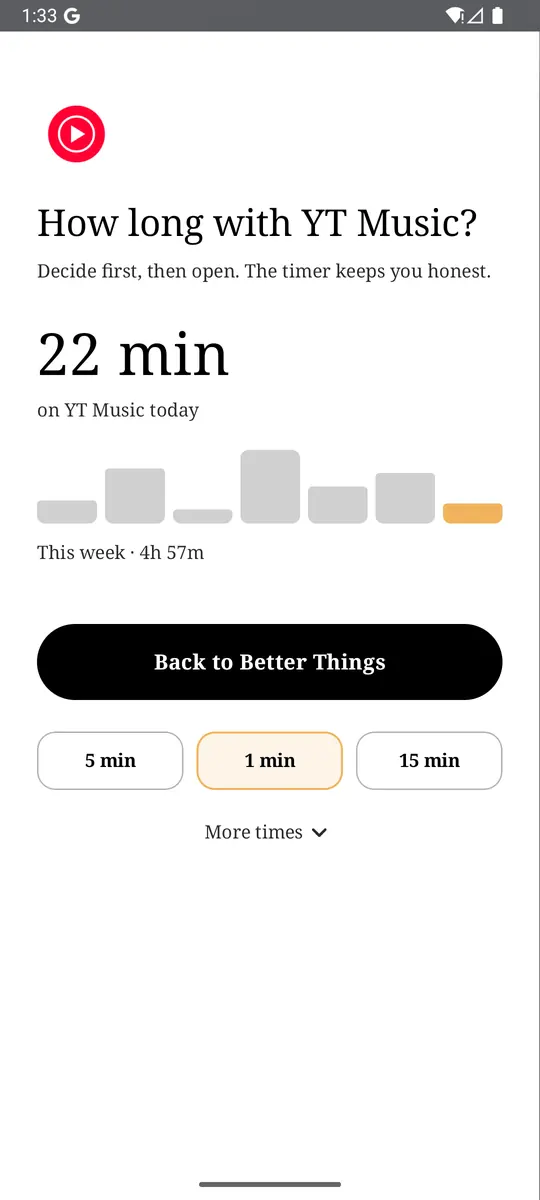
- App reminders. Before YouTube opens, ReClaim asks how long you intend to use it, then nudges you when that time is up. A check-in, not a lockout.
- Daily and weekly limits. Give YouTube 20 minutes a day. When it is up, ReClaim closes it automatically.
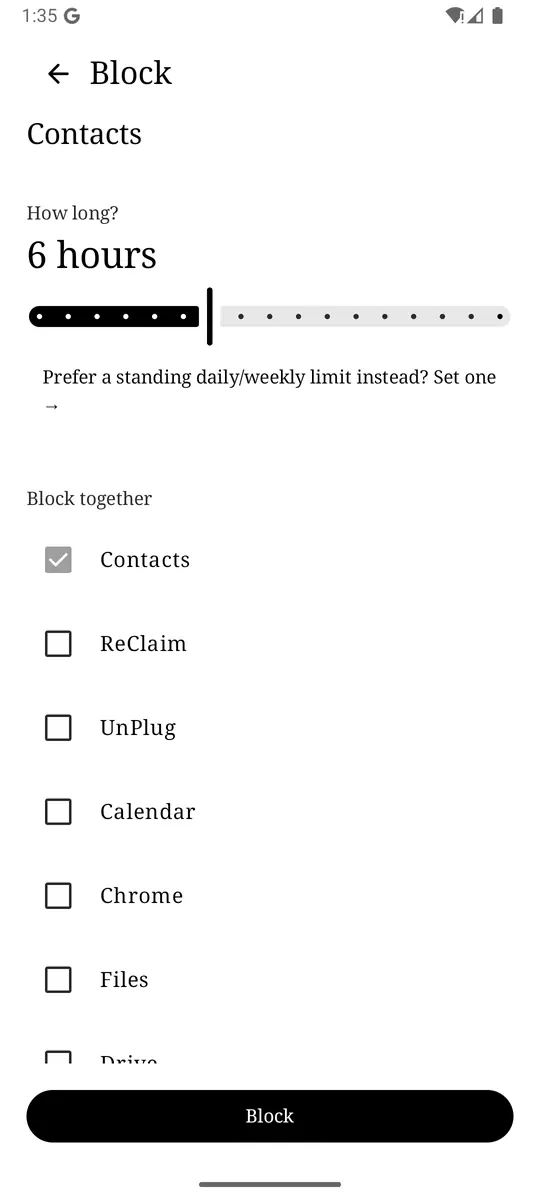
- Scheduled blocking. Set recurring windows, like work hours or bedtime, when YouTube simply is not available.
The home screen helps too: a clock and the few apps you choose, then a plain alphabetical list in black text with no icons, so there is no red play button waiting for your thumb. Our guide to limits vs blocking vs reminders explains which one fits which kind of habit.
Set YouTube’s Shorts feed limit as low as your account allows, add a bedtime reminder, and put a reminder or a daily limit in front of YouTube itself. ReClaim is free, works on Android 8.0 and newer, and you can switch back to your old home app any time from Settings, Apps, Default apps. Get it free on Google Play.
Questions
Can you turn off YouTube Shorts on Android?
Not completely. The closest built-in option is the Shorts feed limit in the YouTube app, under You, Settings, Time management. Set to zero where offered, it pauses the Shorts feed for the day. Hands-on reports say Shorts from channels you subscribe to and links people send you still open.
Why don’t I see the zero-minute Shorts limit?
YouTube added the zero option after the original 15-minute-to-2-hour limits, and it has been rolling out gradually. Update the YouTube app from your app store, make sure you are signed in, and check again. Until it appears, the lowest limit you are offered still adds a stopping point.
Can I ignore the YouTube Shorts limit?
On a regular adult account, yes. YouTube’s help says that when you reach the limit, you are prompted with an option to dismiss or ignore it. If one tap is too easy, pair the Shorts limit with an Android app timer on YouTube, which pauses the whole app until midnight.
Can Digital Wellbeing limit only YouTube Shorts?
No. Android’s app timers work on whole apps, so a YouTube timer counts Shorts and long videos together. Only the YouTube app itself can treat Shorts separately, through the Shorts feed limit in Time management.
Does the Shorts limit work on a TV or in a browser?
YouTube’s help describes the Shorts feed limit as a setting in the YouTube app, and reviewers report it is a mobile app feature. Expect it to apply on your phone or tablet app, and check other devices separately.